


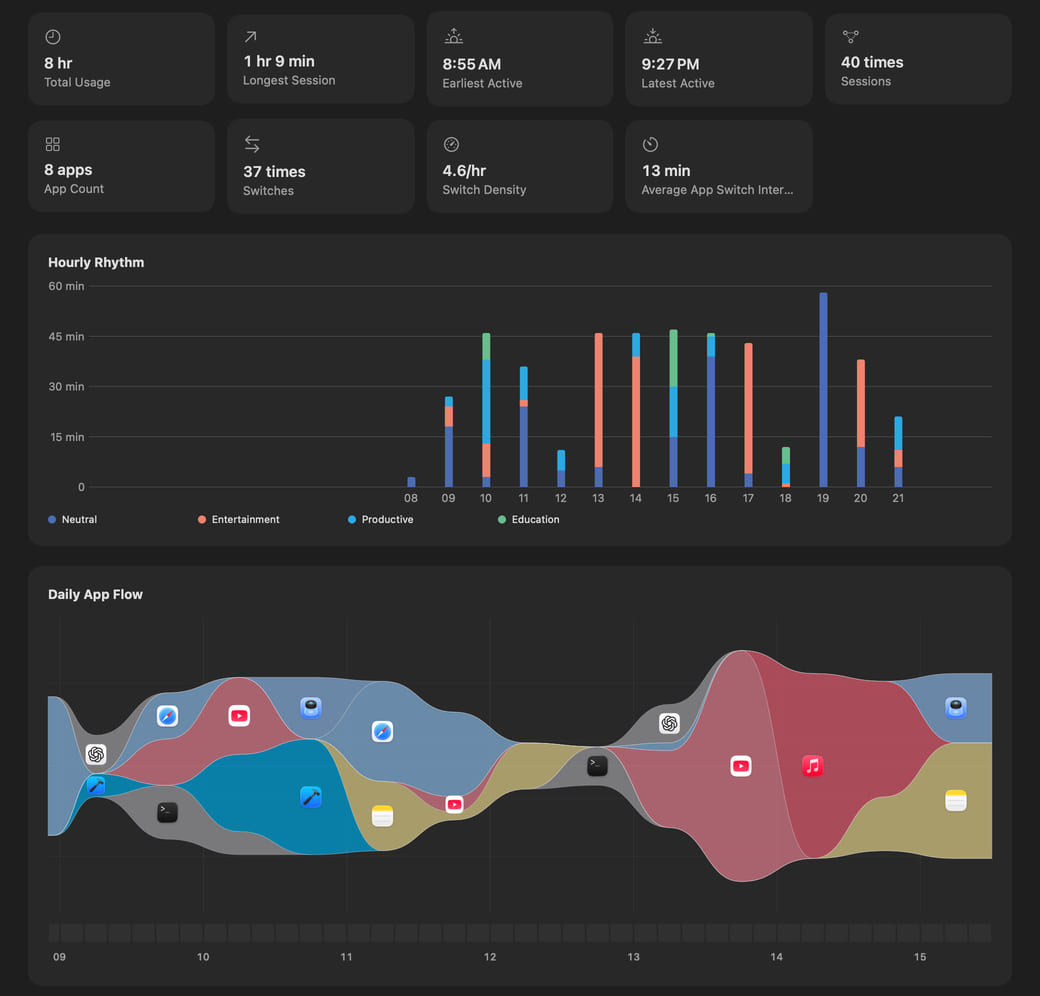
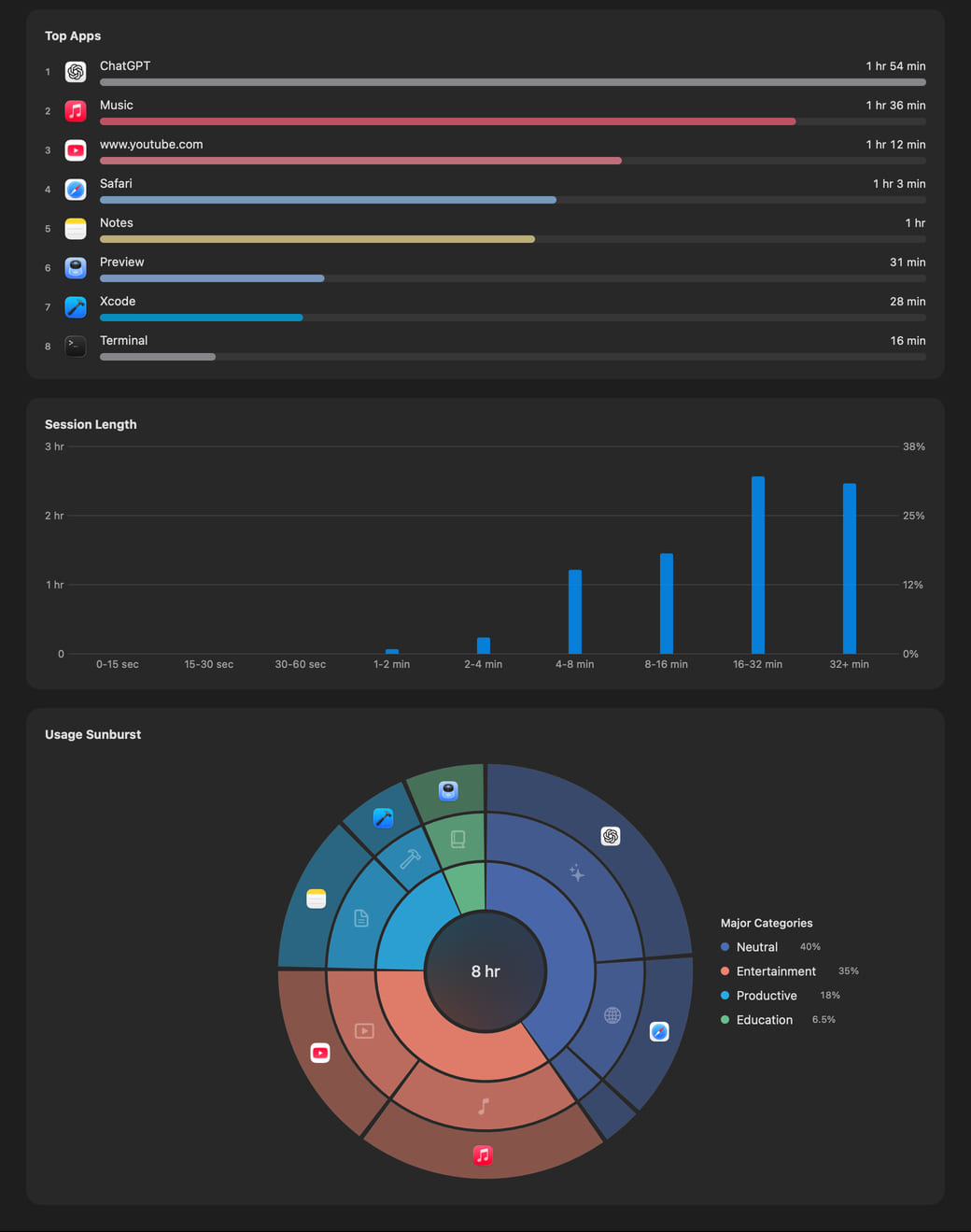
Daily Statistics · Jun 16
 Hikage
Hikage records app and website activity locally, so you can review your usage timeline at a glance.
Use the core features for free, with a one-month full-feature trial for new users.
Within the access you allow, Hikage automatically records app and website activity on your Mac, then uses keyboard and mouse activity and sleep state to determine your actual screen time. Recorded data stays on your Mac.
The app stream reconstructs the real flow of context across your day.
The usage-time sunburst expands by category and app to reveal the structure behind the total.
Move the pointer to switch windowsTap to switch windowsScroll vertically to browse the full page
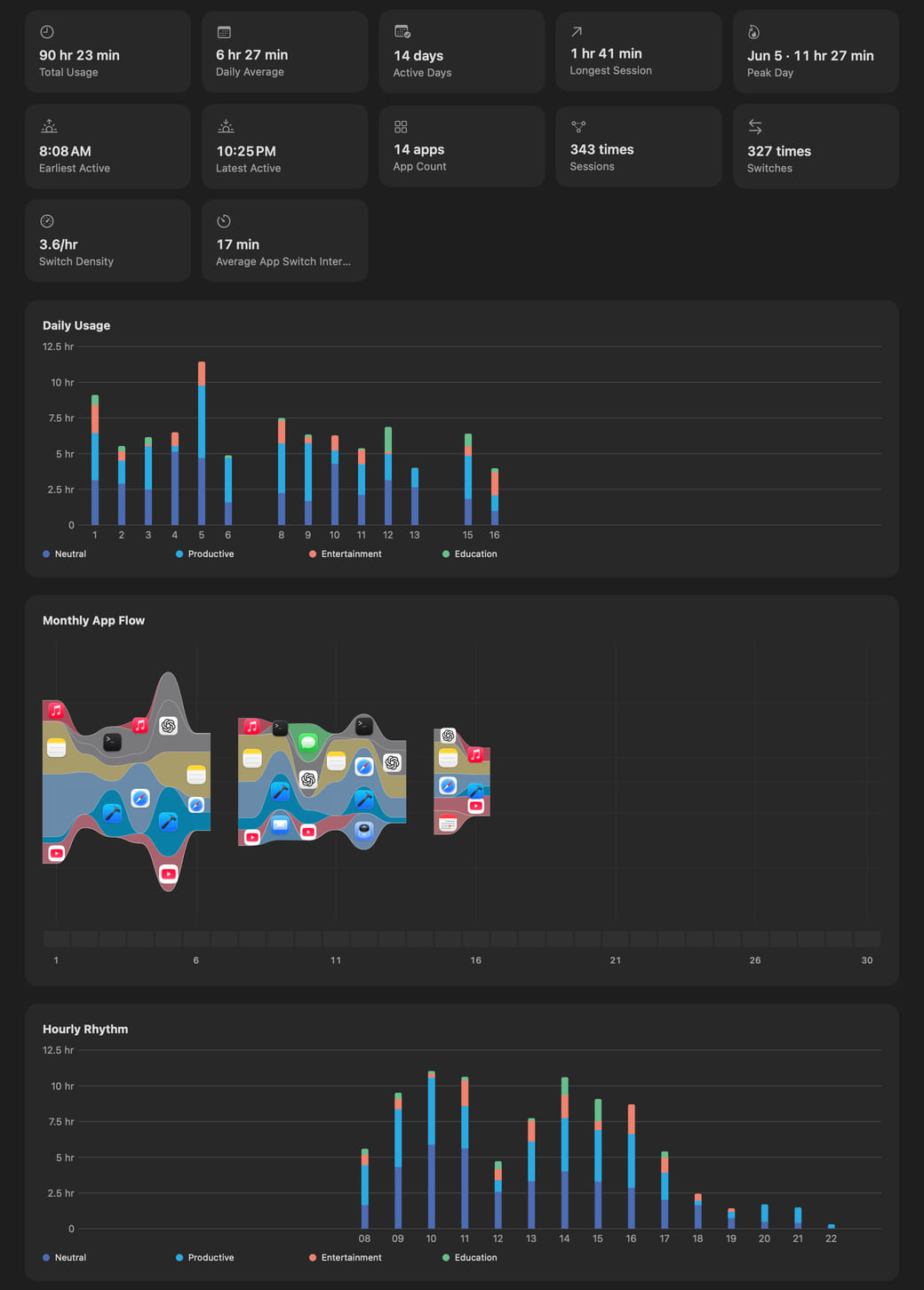
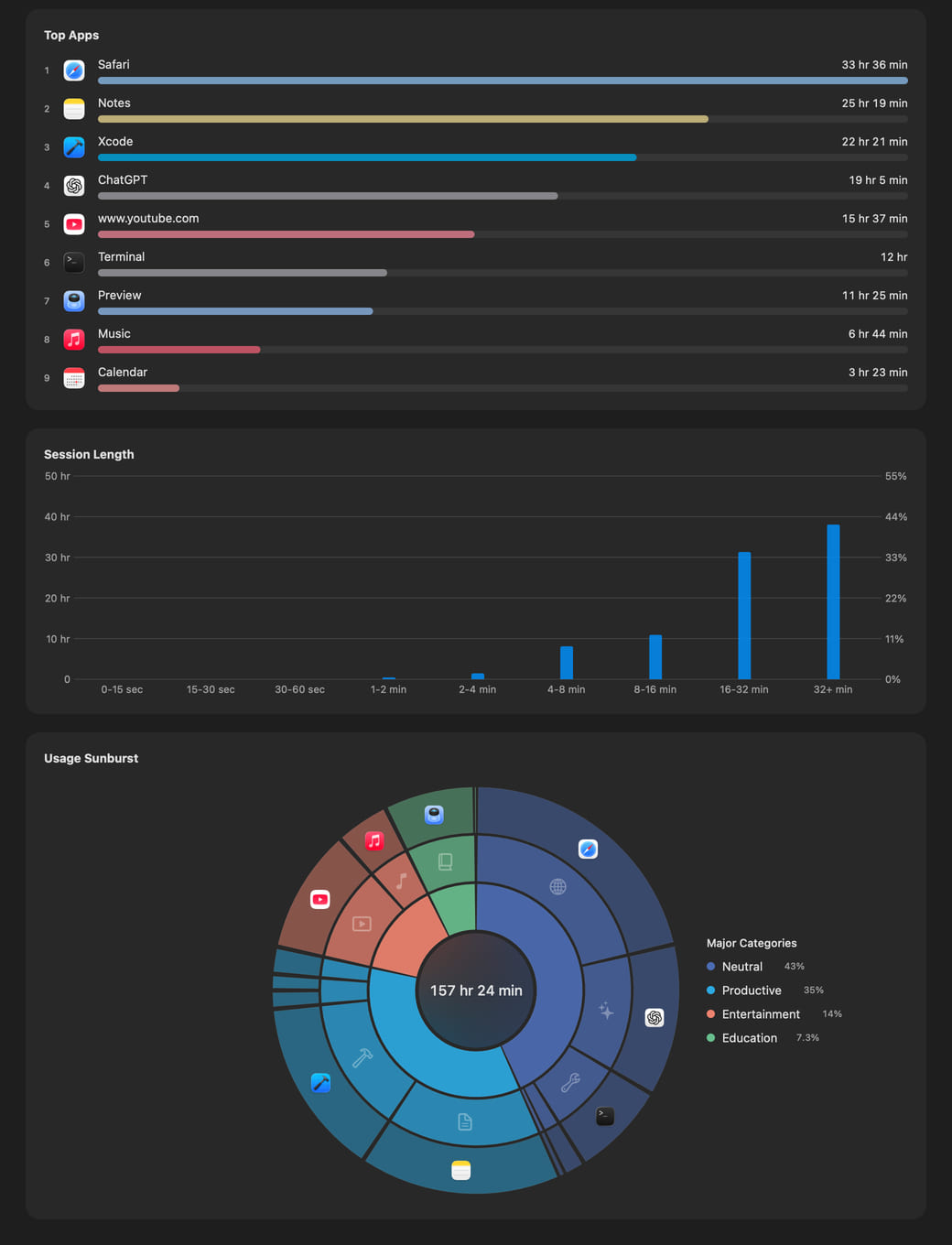
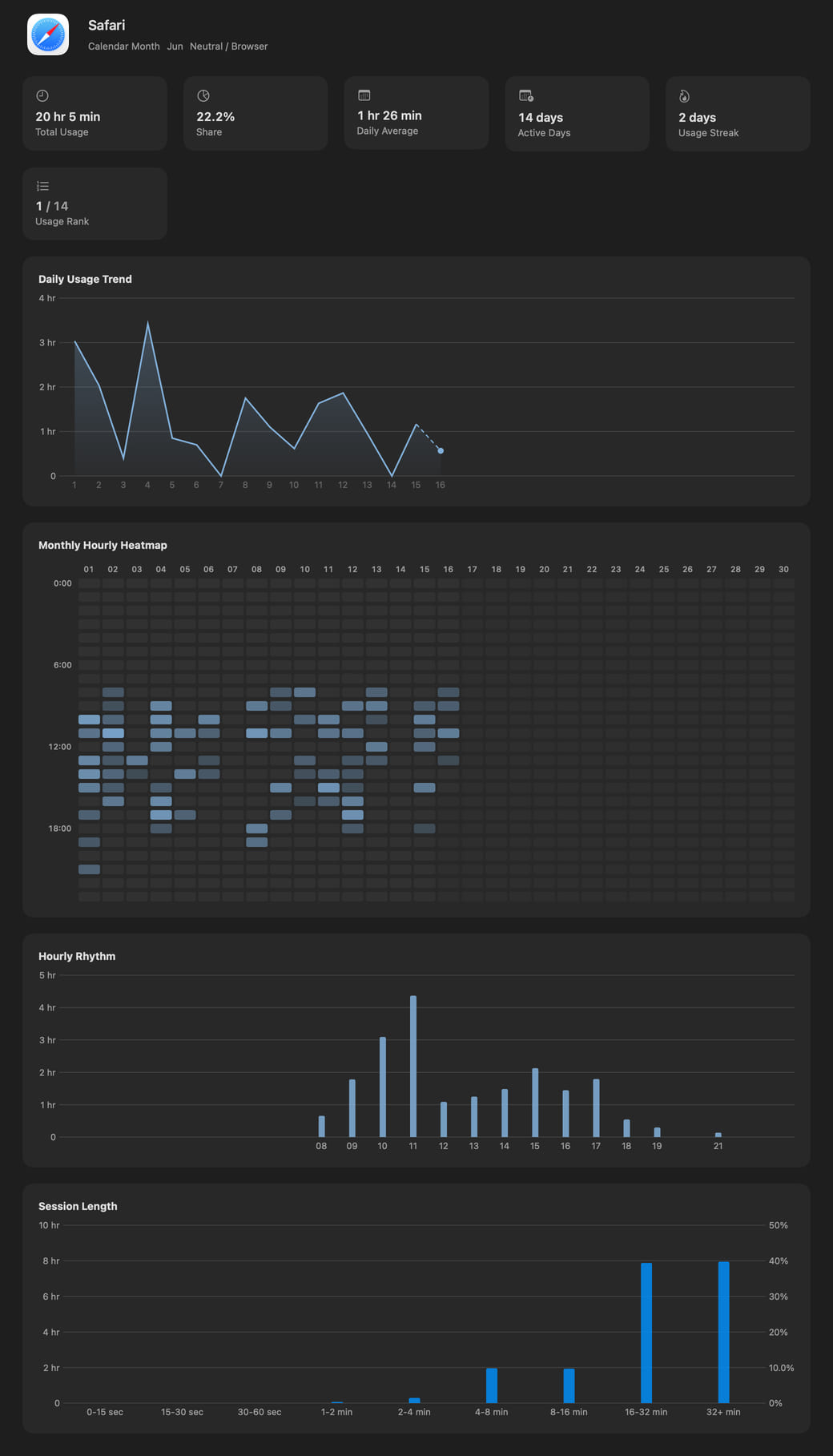
Hikage turns your app-switching history into an intuitive graph view, so you can see which apps hold your focus and how they work together.
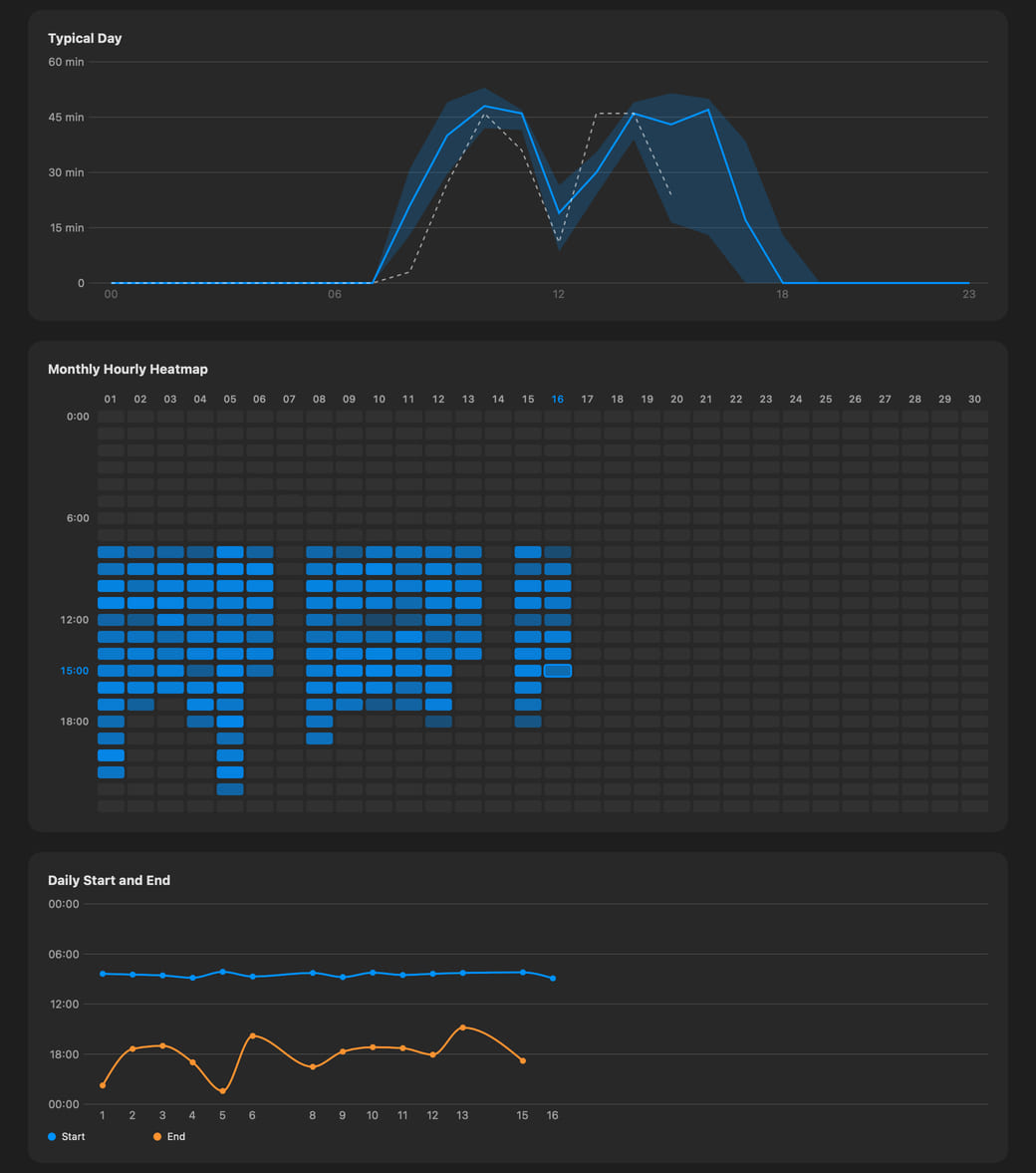
Hikage uses your activity records and specified rules to generate calendar event candidates, then writes them to Apple Calendar with your permission so you can revisit how you spent your time.
Hikage uses your activity records to remind you when a focus session ends, it is time to stand, or a time limit is reached, helping you build a more self-directed, healthy, and satisfying life.
Hikage activity records stay only on your Mac. Hikage does not record the content of keyboard or mouse input, window titles, or full webpage URLs.
Hikage


